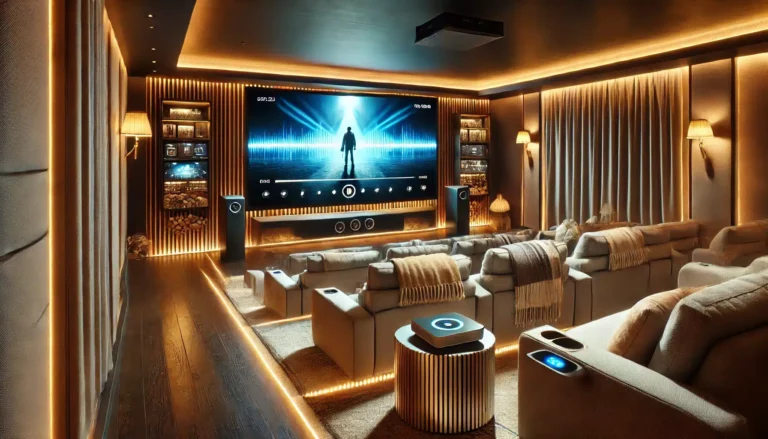
If you — ve ever tried watching a film on a projector in a living room with the curtains open, you — ll know the frustration: the image turns pale, washed out, and lacking punch. Ambient light — sunlight through a bay window, a floor lamp, or even a kitchen light spilling into the room — is the single biggest enemy of projector picture quality. But you don — t need a dedicated blacked-out theatre room to enjoy a crisp, vibrant image. This article covers practical strategies for managing ambient light, from room setup and screen choice to projector selection, so you can get the best possible picture in your home cinema.
Key Takeaways
- Ambient light reduces contrast and colour saturation; the best fix is controlling the light at source.
- A matte white screen with a black backing (like ABIS — s electric and manual models) helps maintain contrast in moderate light.
- Screen size and gain matter: a higher-gain screen can boost brightness, but may narrow the viewing angle.
- Room layout — positioning the projector and screen away from windows — reduces glare.
- For bright rooms, consider a projector with higher lumen output, but remember the screen surface still plays a key role.
- ABIS offers electric, manual, and tripod screens in 84", 100", and 120" sizes, each suited to different room types.
Understanding Ambient Light and Its Effect on Projector Screens
Ambient light is any light in the room that isn — t coming from the projector. Natural daylight, overhead ceiling lights, and even light bouncing off walls all compete with the projected image. The result is a loss of black levels — blacks appear grey — and colours look desaturated. The human eye perceives contrast as a ratio between the brightest white and the darkest black; ambient light raises the black floor, crushing that ratio.
For a typical home cinema, the ideal is total darkness. But in a UK living room, that — s rarely practical. You might have a south-facing bay window, or the room doubles as a family space where you don — t want to sit in the dark. The good news: you can mitigate the problem without turning your lounge into a cave.
Screen Surface and Gain: What Works in a Bright Room?
All ABIS screens use a matte white surface with a black backing (on electric and manual models). Matte white is the most versatile screen surface: it reflects light evenly across a wide viewing angle, so everyone in the room sees the same image. It — s not a high-gain surface — it doesn — t amplify brightness — but it offers natural colour reproduction and works well in rooms with some ambient light, provided the light is controlled.
Screen Gain Explained
Screen gain measures how much light the screen reflects compared to a standard white surface (gain 1.0). A gain of 1.0 is neutral; higher gain (e.g., 1.3) makes the image brighter for viewers sitting directly in front, but narrows the viewing angle and can create — hot spots — . Lower gain (e.g., 0.8) is better for wide seating but needs a brighter projector. ABIS — s matte white screens have a gain of approximately 1.0, which is a safe middle ground — bright enough for most projectors, and forgiving on seating positions.
For a living room with moderate ambient light, a gain of 1.0 is ideal. If you have a very bright room and a projector with limited lumens, you might consider a higher-gain screen — but that — s not in the ABIS catalogue. Instead, focus on reducing light hitting the screen.
Practical Room Setup: Blocking and Controlling Light
Before buying any equipment, look at your room. The cheapest way to improve picture quality is to control ambient light at source.
Windows and Curtains
Blackout curtains or blinds are the single best investment for a home cinema. Even inexpensive blackout liners can cut sunlight by 90%. For a bay window, consider a curtain track that wraps around the curve. If curtains aren — t an option, use blackout roller blinds — they — re neat and effective.
Wall and Ceiling Colour
Light-coloured walls and ceilings reflect projector light back onto the screen, washing out the image. Dark matte paint (e.g., a dark grey or navy) absorbs stray light. If repainting isn — t possible, hang dark fabric panels on the wall opposite the screen — it makes a surprising difference.
Positioning the Screen
Place the screen on a wall that doesn — t face a window directly. If the room has windows on multiple sides, choose the wall with the least direct sunlight during your typical viewing time. For example, if you watch films in the evening, a west-facing window may still catch sunset glare — draw curtains early.
Choosing the Right ABIS Screen for Your Room
ABIS screens come in three types: electric (motorised), manual (pull-down), and tripod (portable). Each suits different room setups and ambient light conditions.
| Screen Type | Best For | Ambient Light Handling | Key Benefit |
|---|---|---|---|
| Electric 100" or 120" | Dedicated home cinema, boardroom | Good — black backing reduces light penetration | Remote control, hides away when not in use |
| Manual 84" or 100" | Living rooms, bedrooms, classrooms | Good — similar black backing; no power needed | Affordable, simple installation |
| Tripod 84" or 100" | Portable use, outdoor, training rooms | Fair — no black backing; best in controlled light | Lightweight, no tools required |
Electric Screens: Best for Permanent Setups
If you have a dedicated home cinema or a living room where you want a clean look, an electric screen is the best choice. The black backing on ABIS electric screens prevents light from passing through the fabric, which helps maintain contrast even if there — s some light behind the screen (e.g., a window behind the seating area). The 100" Electric Projector Screen 16:9 is a popular size for most UK living rooms, offering a big image without overwhelming the space. For larger rooms, the 120" Electric Projector Screen 16:9 is ideal — just ensure you have enough throw distance.
Manual Screens: Simple and Effective
Manual pull-down screens are a great option if you don — t want to wire a motor or if the room is rented. The 100" Manual Projector Screen 16:9 offers the same matte white surface and black backing as the electric version. You pull it down when needed and it retracts when not in use. It — s a practical choice for a living room where the screen is used occasionally.
Tripod Screens: Portable but Limited
Tripod screens are designed for portability — they — re great for classrooms, training sessions, or outdoor movie nights. However, they lack a black backing, so light behind the screen can shine through and wash out the image. Use them in rooms where you can control ambient light fully, or outdoors after sunset. The 100" Tripod Projector Screen 16:9 is a solid choice for mobile setups.
Projector Choice: Lumens and Ambient Light
While ABIS doesn — t sell projectors, the projector you pair with your screen matters. For rooms with ambient light, choose a projector with higher lumens — at least 2,500 ANSI lumens for moderate light, or 3,000+ for brighter rooms. Laser projectors often have high brightness and consistent output. Short-throw projectors can also help: they sit closer to the screen, reducing the chance of someone walking through the beam, but they still need a good screen surface.
Which ABIS Screen Fits?
For a typical UK living room with moderate ambient light (e.g., a bay window with blackout curtains), the 100" Electric Projector Screen 16:9 is the best fit. It offers a large image, remote control for convenience, and the black backing helps maintain contrast. If you — re on a budget or don — t need motorisation, the 100" Manual Projector Screen 16:9 is a close second. For a small spare room or bedroom, the 84" Manual Projector Screen 16:9 works well. If you need portability for presentations or outdoor use, the 100" Tripod Projector Screen 16:9 is your pick — just pair it with a bright projector and use it after dark.
FAQ
How does ambient light affect projector image quality?
Ambient light reduces contrast and colour saturation by adding light to the screen surface, making blacks appear grey and colours look washed out. The more ambient light, the worse the image.
Can I use a projector screen in a bright room?
Yes, but you need to control the light. Use blackout curtains, dark wall colours, and position the screen away from windows. A matte white screen with a black backing (like ABIS electric/manual screens) helps. A high-lumen projector (2,500+ ANSI lumens) also makes a difference.
What is screen gain, and do I need a high-gain screen?
Screen gain measures how much light the screen reflects. Gain 1.0 is neutral. Higher gain (1.3+) boosts brightness but narrows viewing angles. ABIS screens have gain ~1.0, which is ideal for most home cinemas — good brightness and wide viewing angle.
Is a tripod screen good for a home cinema?
Tripod screens are portable and convenient, but they lack a black backing and are less effective in ambient light. They — re best for temporary setups or outdoor use after dark. For a permanent home cinema, choose an electric or manual screen.
What size screen should I get for my room?
Measure your seating distance. For a 100" screen, sit about 2.5 — 4 metres away. For 120", sit 3 — 5 metres away. ABIS offers 84", 100", and 120" sizes — pick based on room dimensions and projector throw distance.
Do I need a special screen for a laser projector?
No. ABIS — s matte white screens work with all projector types — LCD, DLP, laser, LED. The screen surface is neutral and colour-accurate.
Conclusion
Ambient light doesn — t have to ruin your home cinema experience. With a few practical steps — controlling room light, choosing the right screen type, and pairing it with a bright projector — you can enjoy a clear, vibrant image even in a living room. Start by measuring your room and thinking about your typical viewing conditions. Then browse the ABIS range to find the screen that fits your space and lifestyle.
Ready to upgrade your viewing? Shop ABIS projector screens or contact us for help choosing the right model.
Browse more in Home Cinema