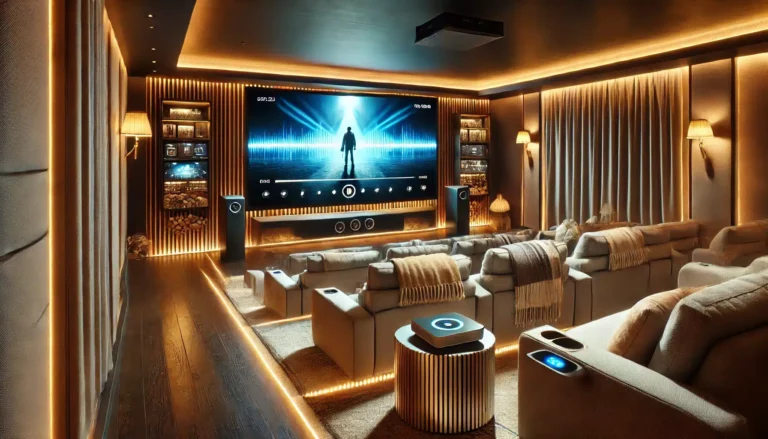
So you are building a home cinema and wondering whether a 100-inch 16:9 screen is the right size. It is a common dilemma: too small and the cinematic effect is lost; too large and the image may overwhelm the room or cause eye strain. This article will help you decide by looking at room dimensions, viewing distance, projector brightness, and practical placement. By the end you will know whether a 100-inch 16:9 screen suits your space, and which ABIS screen model fits best.
Key Takeaways
- A 100-inch 16:9 screen offers a diagonal of 100 inches (254 cm) and a width of about 87 inches (221 cm) — a popular size for dedicated and multi-purpose rooms.
- Recommended viewing distance for 100-inch 16:9 is roughly 2.5 to 4 metres (8-13 feet) depending on personal preference and content type.
- Screen gain of 1.0 (matte white) works well with most projectors in controlled lighting; ambient light may require a brighter projector or blackout curtains.
- ABIS 100-inch screens come in electric, manual, and tripod versions — choose based on whether you want motorised convenience, budget simplicity, or portability.
- Always pair your screen size with a projector that has sufficient lumens (ideally 2000+ ANSI for a 100-inch screen in a dark room).
Why 100 Inches? The Goldilocks Size
A 100-inch diagonal screen is often called the "sweet spot" for home cinema. It is large enough to deliver an immersive experience — filling most of your field of view from a typical seating distance — yet not so huge that it dominates a standard living room or requires a dedicated theatre space.
Compared to 84-inch screens, a 100-inch screen adds about 16 inches of diagonal, which translates to roughly 30% more viewing area. That extra surface makes a noticeable difference for films, sports, and gaming. Moving up to 120 inches offers even more immersion but demands a larger room and brighter projector. For most UK homes, a 100-inch 16:9 screen strikes a practical balance.
Room Size and Viewing Distance: The Critical Factors
Before buying any screen, measure your room. The key dimension is the distance from the screen wall to the main seating position.
Recommended Viewing Distances for 100-inch 16:9
| Preference | Distance (metres) | Distance (feet) |
|---|---|---|
| Minimum (cinematic immersion) | 2.5 m | 8 ft |
| Comfortable (general viewing) | 3.0 m | 10 ft |
| Maximum (relaxed, less eye movement) | 3.5 — 4.0 m | 11.5 — 13 ft |
These distances assume a 1080p or 4K projector. For 4K, you can sit closer without seeing pixel structure. If your room is shorter than 2.5 metres from screen to seating, a 100-inch screen may feel overwhelming — consider an 84-inch instead. If your room is longer than 4 metres, you could consider a 120-inch screen, but check projector brightness.
Room Width and Height
A 100-inch 16:9 screen is about 87 inches wide and 49 inches tall. Ensure your wall or ceiling can accommodate the screen casing (typically adds a few inches). For electric screens, you need at least 10-15 cm clearance above the casing for mounting brackets. Also check ceiling height: with a drop of about 1.2-1.5 metres from ceiling to screen bottom, a standard 2.4-metre ceiling works fine.
Projector Brightness: Lumens Matter
A 100-inch matte white screen (gain 1.0) reflects light evenly. To achieve a bright, punchy image, your projector should deliver enough lumens. As a rule of thumb, for a 100-inch screen in a dark room, aim for at least 1500-2000 ANSI lumens. If you have ambient light (e.g. living room with some curtains), you may need 2500+ lumens or consider ambient light rejecting (ALR) screens — but note that ABIS only offers matte white screens, so lighting control is essential.
Do not confuse screen size with projector brightness: the screen does not produce light, it reflects it. A dim projector on a 100-inch screen will look washed out. Always check your projector — s lumen rating before committing to a size.
Screen Surface: Matte White and Gain
ABIS projector screens use a matte white surface with a gain of approximately 1.0. This means they reflect light uniformly across a wide viewing angle (up to 160 degrees). Matte white is the most versatile surface for home cinema: it reproduces colour accurately, works with any projector type (DLP, LCD, LCoS), and does not create hot-spotting. The downside is that it performs best in a darkened room. If your home cinema has windows or ambient light, blackout blinds are recommended.
Electric vs Manual vs Tripod: Which ABIS Screen Type?
ABIS offers three main types of 100-inch 16:9 screens. Your choice depends on installation permanence, budget, and convenience.
Electric Screens: Motorised Convenience
An electric screen rolls down and up with a remote control or wall switch. It is ideal for dedicated home cinemas or living rooms where you want the screen to disappear when not in use. The 100" Electric Projector Screen 16:9 from ABIS features a low-noise motor, slim metal casing, and a black backing to prevent light bleed. It can be mounted on a wall or ceiling. This is the best choice if you value a clean, automated setup.
Manual Screens: Simple and Budget-Friendly
A manual pull-down screen uses a spring mechanism — you pull the handle to lower it and it locks at any height. No power required, making it easy to install in any room. The 100" Manual Projector Screen 16:9 is a cost-effective option for a home cinema on a budget or for a room where you rarely use the projector. It is also lighter and easier to mount than an electric model.
Tripod Screens: Portable and Flexible
If you need to move your screen between rooms or take it outdoors, a tripod screen is the answer. The 100" Tripod Projector Screen 16:9 is freestanding, height-adjustable, and sets up in minutes. It is less common for a permanent home cinema but works well for multi-purpose spaces, gaming nights, or rental properties where drilling is not allowed.
Checklist Before Buying a 100-inch Screen
- [ ] Measure the distance from screen wall to seating: ideally 2.5 — 4 metres.
- [ ] Check ceiling height: at least 2.4 metres for a comfortable drop.
- [ ] Ensure the wall or ceiling can support the screen weight (electric screens weigh 8-12 kg).
- [ ] Confirm your projector has enough lumens (2000+ recommended).
- [ ] Decide on screen type: electric (convenient), manual (budget), or tripod (portable).
- [ ] Plan for power supply if choosing electric (near the mounting position).
- [ ] Consider blackout curtains if room has windows.
- [ ] Verify the screen width fits between any obstructions (shelves, speakers).
Which ABIS Screen Fits?
For a permanent home cinema with a dark room and a mid-range to high-end projector, the 100" Electric Projector Screen 16:9 is the top recommendation. Its motorised operation, black backing, and slim design integrate seamlessly. Price is competitive; see the product page for current pricing.
If you are on a tighter budget or do not want to run power to the ceiling, the 100" Manual Projector Screen 16:9 offers the same viewing area with a simple pull-down mechanism. It is also a good choice for a spare room or temporary setup.
For a portable home cinema — perhaps you use the same projector for movie nights in different rooms or outdoors — the 100" Tripod Projector Screen 16:9 gives you flexibility without sacrificing size.
All three screens are 16:9 matte white, ensuring colour accuracy and wide viewing angles. They are compatible with any projector brand.
FAQ
Can I use a 100-inch screen in a room with windows?
Yes, but you will need to control ambient light. Blackout curtains or blinds are recommended. Matte white screens reflect ambient light, reducing contrast. If you cannot darken the room, consider a brighter projector (2500+ lumens).
What is the ideal seating distance for a 100-inch 16:9 screen?
Most viewers find 3 to 3.5 metres (10-11.5 feet) comfortable. For a more immersive experience, sit closer (2.5 metres). For relaxed viewing, sit further back (4 metres).
Does the screen affect projector resolution?
No. The screen does not change resolution. A 4K projector will display 4K detail on any screen surface. However, a high-quality matte white screen like ABIS ensures sharpness and colour accuracy.
How do I mount an electric screen?
Electric screens come with wall or ceiling mounting brackets. Ensure the ceiling or wall is strong enough to hold the weight (typically 10 kg). A power socket should be within reach of the power cord. ABIS screens include installation instructions; professional installation is optional.
Is a 100-inch screen too big for a small room?
If your room is less than 2.5 metres deep, a 100-inch screen may feel overwhelming. In that case, consider an 84-inch screen. For rooms 3 metres or more, 100 inches works well.
Can I use a 100-inch tripod screen outdoors?
Yes, the tripod screen is designed for indoor and outdoor use. Ensure the ground is level and the screen is weighted or staked to prevent wind tipping. Store it indoors when not in use.
Final Thoughts
A 100-inch 16:9 screen is an excellent choice for many UK home cinemas. It offers a cinematic experience without requiring a dedicated theatre room. The key is to match it with the right room dimensions, projector brightness, and screen type. Measure your space, check your projector — s lumens, and choose between electric, manual, or tripod based on your lifestyle.
Ready to upgrade your home cinema? Measure your room, decide on the screen type that fits your setup, then browse the ABIS collection of 100-inch screens. If you need help, contact our team — we are happy to advise.
Browse more in Home Cinema