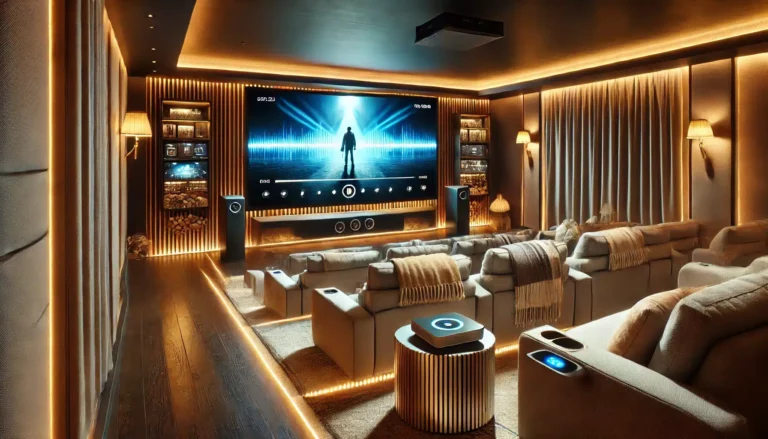
Getting the seating distance right is one of the most overlooked parts of setting up a projector. You can have a top-tier projector and a quality screen, but if you’re sat too close or too far, the magic falls flat. This guide walks you through the ideal viewing distance for common screen sizes, helping you plan your room layout whether you’re building a dedicated home cinema or upgrading the living room.
Key Takeaways
- Rule of thumb: For a 16:9 screen, sit at roughly 1.5 to 2.5 times the screen’s diagonal for a comfortable field of view.
- 100-inch screen: Ideal viewing distance is about 2.5 — 4 metres (8 — 13 feet).
- 120-inch screen: Sit 3 — 5 metres (10 — 16 feet) away for an immersive but comfortable experience.
- 84-inch screen: Best at 2 — 3 metres (6.5 — 10 feet).
- Resolution matters: 4K projectors let you sit closer without seeing pixels; 1080p needs a bit more distance.
- Room layout is king: Measure your room first, then pick the screen size that fits your seating distance.
Why Viewing Distance Matters
Sitting too close to a large screen can cause eye strain and make you notice individual pixels — especially with a 1080p projector. Sit too far, and you lose the immersive cinema feel. The goal is a field of view that fills your peripheral vision without forcing you to move your head to follow action.
For a typical 16:9 screen, the Society of Motion Picture and Television Engineers (SMPTE) recommends a viewing angle of about 30 degrees (minimum) to 40 degrees (cinematic). That translates to roughly 1.5 to 2.5 times the screen diagonal. THX suggests 1.2 to 1.6 times for a true cinema experience. In practice, most UK homes sit somewhere between these ranges.
Viewing Distance by Screen Size
Here’s a quick reference for ABIS’s most popular sizes:
| Screen Size (diagonal) | Screen Width | Min Distance (1.5x) | Max Distance (2.5x) | Best for |
|---|---|---|---|---|
| 84" | 73" (1.85m) | 10.5 ft (3.2m) | 17.5 ft (5.3m) | Small rooms, bedrooms |
| 100" | 87" (2.21m) | 12.5 ft (3.8m) | 20.8 ft (6.3m) | Living rooms, home cinemas |
| 120" | 105" (2.66m) | 15 ft (4.6m) | 25 ft (7.6m) | Dedicated home cinemas |
Note: These are guidelines, not hard rules. Your personal preference, projector brightness, and room lighting all play a part.
84-Inch Screen
Perfect for smaller rooms — a spare bedroom, a conservatory, or a study. At 2 — 3 metres (6.5 — 10 feet), you get a solid cinema feel without overwhelming the space. If you’re using a 1080p projector, don’t sit closer than about 2 metres or you’ll start to see pixel structure.
100-Inch Screen
The most popular size for UK homes. It works well in a typical 4 — 5 metre deep living room. Sit around 2.5 — 4 metres (8 — 13 feet) away. That puts you in the sweet spot for both 1080p and 4K projectors. Many of our customers pair this with an ABIS electric screen for a clean, motorised setup that disappears when not in use.
120-Inch Screen
This is where you need a dedicated room or a large open-plan space. At 3 — 5 metres (10 — 16 feet), you get a true cinema experience. Just make sure your projector has enough brightness (at least 2,000 lumens) and a decent contrast ratio to fill that size with punchy images.
How to Calculate Your Own Viewing Distance
Don’t want to rely on tables? Here’s a simple method:
- Measure your screen width (not diagonal). For a 16:9 screen, width is about 0.87 times the diagonal. So a 100" screen is roughly 87" (2.21m) wide.
- Multiply by 1.5 for a cinematic field of view (about 40A). That’s your minimum distance.
- Multiply by 2.5 for a comfortable, less intense view (about 30A). That’s your maximum.
For example: 87" (100" screen) A? 1.5 = 130.5" (10.9 ft / 3.3m). A? 2.5 = 217.5" (18.1 ft / 5.5m). So sit between about 11 and 18 feet.
Pro tip: Use painter’s tape on the floor to mark out the screen width and seating positions before you buy anything. It’s the cheapest way to avoid a costly mistake.
Room Layout Considerations
Your room’s shape, ceiling height, and window placement all affect where you can sit. Here are a few common UK scenarios:
- Living room with a bay window: The screen should face away from the window. Measure the distance from the opposite wall to your sofa. That’s your max seating distance.
- Dedicated home cinema: You have freedom to place seats anywhere. Use the 1.5x rule to get the most cinematic experience.
- Multi-purpose room: If the same room is used for TV watching and projector use, consider a retractable electric screen that drops in front of the TV. The viewing distance may be a compromise — aim for the 2.0x — 2.5x range.
For more on installation, see our guide on projector screen installation wall vs ceiling mounting.
Does Resolution Change the Ideal Distance?
Yes. With a 4K projector, you can sit closer without seeing individual pixels. For 4K, the THX recommended distance is about 1.2x the screen diagonal. For 1080p, stick to 1.5x or more to avoid seeing pixel grid.
But here’s the thing: the screen itself doesn’t have a resolution. The projector determines that. What the screen does is provide a flat, reflective surface. ABIS’s matte white screens are designed to work with any resolution — from 1080p to 8K — giving you a smooth, even image with good colour accuracy.
Common Mistakes to Avoid
- Buying a screen that’s too large for the room. A 120" screen in a 3-metre-deep room means you’re sitting 1.5x the diagonal or less — too close for comfort with 1080p.
- Ignoring ceiling height. A 120" screen is about 1.5m tall. You need at least 2.4m ceiling height to mount it without the bottom hitting the floor.
- Forgetting ambient light. If your room has lots of windows, you might need a brighter projector or consider blackout blinds. The screen itself won’t fix light washing out the image.
Which ABIS Screen Fits Your Room?
For a typical living room (3 — 4m viewing distance):
The 100" Electric Projector Screen 16:9 is a great match. You get the cinematic size with the convenience of a motorised drop-down. Pair it with a 4K projector and you’re set.
For a smaller room or budget setup:
The 84" Manual Projector Screen 16:9 is easy to install, doesn’t need power, and fits snugly in a bedroom or study.
For a dedicated home cinema (4 — 5m viewing distance):
Go big with the 120" Electric Projector Screen 16:9. It delivers a true theatre experience when paired with a high-lumen projector.
If you need portability — say for classroom or outdoor movie nights — the 100" Tripod Projector Screen 16:9 is easy to set up and pack away.
For more on choosing between types, read our comparison of manual vs tripod projector screens.
Frequently Asked Questions
What is the best viewing distance for a 100-inch projector screen?
Between 2.5 and 4 metres (8 — 13 feet) is ideal. For a 4K projector, you can sit closer to the 2.5m end; for 1080p, aim for 3 — 4m.
Can I sit closer to a 4K projector screen?
Yes — 4K’s higher pixel density means you can sit at about 1.2x the diagonal without seeing pixels. For a 100" screen, that’s about 3 metres.
What happens if I sit too close to a projector screen?
You’ll see individual pixels (the ‘screen door effect’), and you may have to move your head to follow action. It can also cause eye strain.
What if my room is too small for the recommended distance?
Consider a smaller screen size. An 84" screen works well at 2 — 3 metres. Alternatively, a 100" screen at 2.5m is still comfortable with a 4K projector.
Does the screen material affect viewing distance?
Not directly — distance is about field of view and resolution. But a good matte white screen like ABIS’s ensures even light distribution and colour accuracy from any seat.
Should I use a calculator or just guess?
Use a calculator or the formula above. Guessing often leads to buying a screen that’s too big or too small. Measure your room, mark the floor, and then decide.
Final Thoughts
Finding the right viewing distance is about balancing screen size, room layout, and personal preference. Start by measuring your room and deciding on a comfortable seating distance. Then choose a screen size that fits that distance. ABIS offers a range of sizes and types — electric, manual, and tripod — so you can match your setup perfectly.
Need help? Measure your room, check our shop for the right size, or contact us for advice.
Browse more in Home Cinema