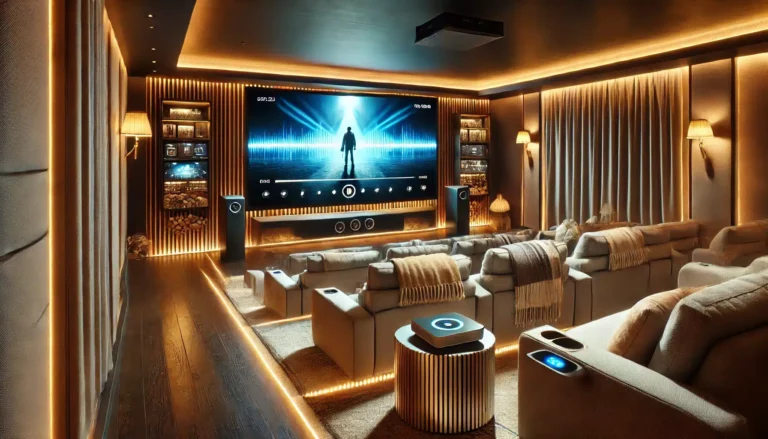
Building a home cinema that rivals the local multiplex doesn’t require a dedicated room or a lottery win. The two decisions that shape everything else — where you sit and what you see — come down to screen size and aspect ratio. Get those right, and the rest falls into place.
This guide is for anyone planning a projector-based setup in a UK living room, loft conversion, or dedicated home theatre. We’ll cover how 16:9 became the standard, how to pick a screen size that suits your room and your eyes, and why the screen surface matters more than you might think.
Key Takeaways
- 16:9 is the universal aspect ratio for modern home cinema — it matches most films, TV shows, and gaming content without awkward black bars.
- Screen size depends on viewing distance, not room size alone. A common rule: your screen width should be roughly half your seating distance.
- Matte white screens offer the widest viewing angle and most natural colour reproduction — ideal for mixed-use rooms.
- Electric screens are the best choice for permanent installations where you want to hide the screen when not in use.
- Manual and tripod screens work well in multipurpose spaces or for occasional use.
- Ambient light control (blackout blinds, dark wall colours) dramatically improves perceived contrast, especially with a standard white screen.
Why 16:9 Is the Standard for Home Cinema
When widescreen televisions replaced 4:3 sets, 16:9 became the default for good reason. It closely matches the human field of view and accommodates most film and TV content without excessive letterboxing. Most streaming services, Blu-rays, and broadcast TV are framed for 16:9 or have embedded widescreen within that frame.
For a projector setup, 16:9 is the practical choice. ABIS screens are all 16:9 for this reason — it’s the ratio that gives you the biggest usable image from a projector’s native panel. Even if you watch a 2.35:1 film, the black bars are present but not overwhelming, and you gain the flexibility to watch 16:9 content (most TV, YouTube, gaming) full-screen.
Some enthusiasts consider a 2.35:1 constant-height screen for a more cinematic look, but that requires an anamorphic lens or a projector with motorised masking — both expensive. For 99% of UK home cinema builders, a 16:9 screen is the sensible, versatile choice.
Choosing the Right Screen Size: Viewing Distance and Room Layout
Screen size is often the first question people ask, but the real starting point is where you sit. A screen that’s too large causes eye fatigue and neck strain; one that’s too small kills immersion.
The Rule of Thumb
A widely cited guideline from THX and SMPTE suggests a viewing angle of 30 — 40 degrees. In practical terms:
- For a 100-inch 16:9 screen (87 inches wide), a seating distance of 2.5 to 4 metres (8 to 13 feet) works well.
- For an 84-inch screen, sit 2 to 3.5 metres (6.5 to 11.5 feet) away.
- For a 120-inch screen, you’ll want at least 3.5 metres (11.5 feet) — any closer and you’ll be scanning the image rather than taking it in.
These are ranges, not rigid rules. Some people prefer a more immersive (closer) feel; others find a slightly smaller image more comfortable for long viewing sessions. The best approach is to use painter’s tape on your wall to mark out the screen dimensions and sit in your intended seating position. If your eyes can comfortably take in the whole image without moving your head, you’re in the right ballpark.
Ceiling Height and Room Shape
UK homes often have lower ceilings than US basements. A 120-inch 16:9 screen is about 1.5 metres tall — that’s a lot of vertical real estate. You’ll need at least 2.4 metres of ceiling height to mount it with enough clearance for a centre speaker and comfortable sightlines. In a typical 2.4-metre ceiling room, a 100-inch screen is often the practical maximum.
Table: Screen Size vs. Minimum Room Requirements
| Screen Size (16:9) | Width (approx.) | Height (approx.) | Minimum Ceiling Height | Recommended Seating Distance |
|---|---|---|---|---|
| 84" | 1.86 m | 1.05 m | 2.2 m | 2.0 — 3.5 m |
| 100" | 2.21 m | 1.24 m | 2.4 m | 2.5 — 4.0 m |
| 120" | 2.66 m | 1.49 m | 2.6 m | 3.5 — 5.0 m |
Screen Surface: Why Matte White Is the Safe Choice
ABIS screens use a matte white, HD-grade surface. This isn’t an accident. Matte white offers the most neutral colour reproduction and the widest viewing cone — meaning everyone in the room sees the same image, not a washed-out version.
Ambient Light Considerations
If your room has any ambient light (a window without blackout blinds, a door to a lit hallway), a matte white screen will reflect that light back, washing out blacks. The solution is not an expensive ALR screen (which ABIS doesn’t sell) but good room control: blackout curtains, dark wall paint, and dimmable bias lighting.
If total darkness isn’t possible, a 100-inch screen with a projector that has good black levels (like a laser or LED model) will still produce a satisfying picture. The screen doesn’t create brightness — it reflects what the projector gives it. So pair your screen with a projector suited to your light conditions.
Electric vs. Manual vs. Tripod: Which Screen Type for Your Room?
Electric Screens — The Permanent Solution
If you have a dedicated room or a space where the screen stays down for most viewing, an electric screen is the most convenient. It mounts flush to the ceiling or wall, drops down at the press of a button, and retracts out of sight when not in use. The slim metal casing looks tidy, and the motor is quiet enough not to distract during a film.
ABIS offers electric screens in 84", 100", and 120" sizes. The 100" and 120" models are popular for living room installations where the screen hides above a fireplace or in a ceiling recess.
Manual Screens — Simple and Reliable
Manual pull-down screens don’t need power or a remote. You pull the handle to lower the screen to your desired height, and it locks in place. They’re a good choice for rooms where you don’t want to run power to the ceiling, or for budget-conscious setups. The 100" manual screen is a strong seller for home cinema on a budget.
Tripod Screens — Portable and Flexible
Tripod screens are for occasional use: movie nights in the garden, presentations in a meeting room, or a temporary setup in a rented flat. They’re self-contained, require no installation, and fold away into a carry case. The 84" and 100" tripod screens are ideal for portable home cinema.
Which ABIS Screen Fits Your Home Cinema?
- For a dedicated home cinema room with controlled lighting: the 100" Electric Projector Screen or 120" Electric Projector Screen gives you a large, permanent image with the convenience of remote control.
- For a living room with limited ceiling height: the 100" Manual Projector Screen is a reliable, no-power-required option that fits most UK rooms.
- For a flexible setup (e.g., a conservatory or occasional use): the 100" Tripod Projector Screen allows you to move the cinema outdoors or pack it away.
- For smaller rooms or tighter budgets: the 84" Manual Projector Screen or 84" Electric Projector Screen still delivers a big image without overwhelming the space.
If you’re unsure about mounting, our guide on projector screen installation wall vs ceiling mounting covers the options. And for help working out your ideal seating distance, the ideal viewing distance for a 100-inch screen post has more detail.
FAQ
What aspect ratio is best for home cinema?
16:9 is the best all-round aspect ratio for home cinema. It matches most TV, streaming, and gaming content, and works well for widescreen films (which appear with small black bars top and bottom). Dedicated 2.35:1 screens are possible but expensive and less flexible.
How far should I sit from a 100-inch projector screen?
A comfortable range is 2.5 to 4 metres (8 to 13 feet). Closer gives a more immersive feel; further back is easier on the eyes for long viewing sessions. Use tape on the wall to test before you buy.
Can I use a manual screen in a home cinema?
Yes. Manual screens work well in home cinemas where you don’t mind pulling the screen down by hand. They’re reliable, need no power, and cost less than electric models. Just make sure the screen is mounted at the right height so you don’t strain your neck.
What screen size do I need for a 3-metre viewing distance?
At 3 metres, a 100-inch screen is a good match. An 84-inch screen will also work but feels noticeably smaller. A 120-inch screen at 3 metres may feel too large unless you prefer a very immersive, front-row experience.
Do I need a special screen for a 4K projector?
No. Any quality matte white screen will resolve 4K detail. The screen doesn’t have a resolution — it reflects the projector’s image. ABIS matte white screens are perfectly suitable for 4K projectors.
Should I buy an electric or manual screen?
If you want the screen to disappear when not in use, and you have power at the mounting point, choose electric. If you’re on a budget or don’t want to run cables, manual is a reliable alternative.
Final Thoughts
Creating the ultimate home cinema doesn’t require a dedicated room or a five-figure budget. Start with the right screen size for your room and seating distance, choose a 16:9 aspect ratio for maximum versatility, and pair it with a matte white screen that reflects your projector’s best qualities. Control ambient light, and you’ll get a picture that rivals any commercial cinema.
Ready to choose your screen? Measure your room, work out your ideal viewing distance, then browse our range of electric, manual, and tripod screens in 84", 100", and 120" sizes. If you need help, contact us — we’re happy to advise.
Browse more in Home Cinema