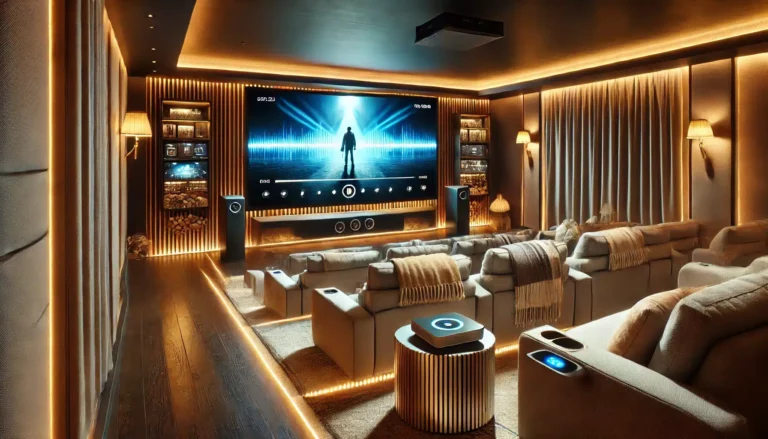
Best Projector Screen Surface for Racing and Flight Sim Games
Introduction
In the world of racing and flight simulators, immersion is everything. The right projector screen can significantly enhance your gaming experience, making every turn and every flight feel more real. In this guide, we’ll explore what makes the best projector screen surface for these immersive simulations, looking at factors like screen surface, size, and ambient light. Whether you’re setting up at home or in a dedicated gaming centre, we’re here to help you find the perfect screen.
Key Takeaways
- Screen Surface: Matte white surfaces provide excellent colour contrast and clarity.
- Size Matters: Larger screens enhance immersion in sim racing and flight games.
- Flatness and Tension: Essential for crisp, clear images.
- Ambient Light: Controlling room lighting is key for optimal viewing.
- Screen Size Recommendations: 100 — to 120 — for the most immersive sim experiences.
Understanding Screen Surface
For sim racing and flight games, a projector screen’s surface is crucial. Matte white screens are preferred because they offer superior colour contrast and clarity compared to glossy surfaces. This ensures that the details in the game are sharp and visible, which is essential for an immersive gaming experience. A matte white surface also helps in reducing glare from ambient light, allowing you to focus on the game without distractions.
Why Matte White Works Best
Matte white surfaces have a low gain, which means they reflect light evenly across the screen. This results in a more consistent image with less glare and better viewing angles. In sim games, where every detail counts, a matte white screen ensures that you won — t miss a thing, whether you — re taking a turn at high speed or navigating a tricky flight path.
Screen Size for Immersion
When it comes to sim racing and flight simulators, a larger screen size can significantly enhance the feeling of immersion. The larger the screen, the more you feel like you — re part of the action. For most home setups, a screen size between 100 — and 120 — provides an optimal balance between immersion and space constraints.
Finding the Right Size for Your Space
A 100 — to 120 — screen provides a broad field of view that can closely mimic the experience of being in a cockpit. This is particularly important in sim racing and flight games where peripheral vision plays a crucial role. It — s about feeling surrounded by the game environment, and larger screens help achieve that.
Flatness and Tension
The flatness and tension of a projector screen are often overlooked but are essential for image quality. A screen that is not taut can lead to a distorted image, which can be frustrating in games where precision is key. A well-tensioned screen ensures that the image remains crisp and clear from edge to edge.
Ensuring the Best Image Quality
Look for screens that have a tensioning system designed to keep the fabric taut. This is especially important in larger screens to prevent any sagging over time. A flat, taut surface ensures that the image from your projector is displayed accurately, without any distortion.
Ambient Light Considerations
While the screen surface can help reduce glare, it — s also important to consider the ambient light in your gaming room. Screens with a matte white surface are beneficial as they diffuse light more evenly, reducing the impact of external light sources. However, it — s still advisable to control the room lighting to get the best image quality.
Controlling Room Lighting
In practice, this means using blackout curtains or blinds to control daylight and opting for dimmable lighting to reduce glare from overhead lights. By minimising ambient light, you can ensure that the colours and details on your screen pop, enhancing your gaming experience.
Which ABIS Screen Fits?
For sim racing and flight games, we recommend our 100 — and 120 — Electric Projector Screens. These screens provide a large, immersive viewing experience with a matte white surface that ensures excellent colour contrast and clarity. The electric mechanism allows for easy set-up and stowing away when not in use, making them perfect for home gaming setups.
- **100 — Electric Projector Screen 16:9: Ideal for larger rooms where a powerful, immersive gaming experience is desired.
- **120 — Electric Projector Screen 16:9: Perfect for those looking for an even more immersive experience, providing a larger canvas for your games.
FAQ
What is the best screen size for sim racing?
For sim racing, a screen size of 100 — to 120 — is recommended to create an immersive, cockpit-like experience.
Do I need a special screen for flight simulators?
While not absolutely necessary, a larger screen with a matte white surface enhances the realism and detail in flight simulators.
Can a manual or tripod screen work for gaming?
Yes, but electric screens offer the benefit of ease of use and a larger, more immersive display, which is beneficial for gaming.
How do I control ambient light for the best gaming experience?
Using blackout curtains for natural light and dimmable lights for indoor lighting can significantly improve your gaming experience by reducing glare and improving contrast.
What if I don — t have much space for a large screen?
Even in smaller spaces, a 100 — screen can provide a good balance between size and space constraints, offering an immersive experience without overwhelming the room.
Conclusion
Choosing the right projector screen can greatly enhance your sim racing and flight sim gaming experience. By selecting a screen with a matte white surface, a suitable size, and considering ambient light control, you can create an immersive environment that makes every game feel real. At ABIS Electronics, we offer a range of screens designed to meet these needs. Start by measuring your space, choose the right size and type, and then shop our selection of projector screens to find the perfect fit for your gaming setup.
Browse more in Home Cinema