
Buying Guides
100″ or 120″ Electric Screen: Measuring Before You Buy
November 7, 2026

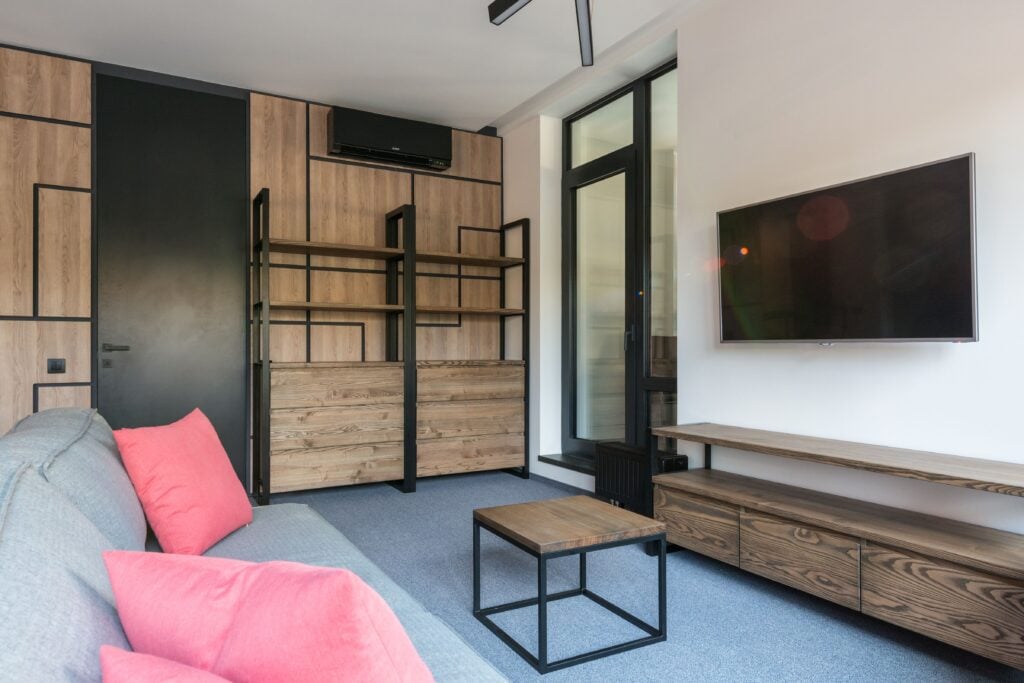
A 120″ screen sounds like the obvious upgrade. Bigger picture, more cinema, more impact. But in a typical UK living room — often 3.5 to 4.5 metres wide with a bay window on one side and a radiator on the other — a 120″ 16:9 screen can dominate the wall in a way that feels less like a home cinema and more like a wall of white. The honest answer is that it depends on three things: how far you sit, how much clear wall you have, and how high your ceiling is. Get those right and 120″ is glorious. Get them wrong and you’ll wish you’d bought the 100″. This guide walks through the real numbers, the compromises, and how to decide without guessing.
Key takeaways
- A 120″ 16:9 screen is roughly 2.66 m wide and 1.49 m tall — measure the wall before anything else.
- Seating distance matters more than room size: most people are comfortable with a 120″ screen at around 3–4.5 m (10–15 ft).
- If your sofa is closer than about 3 m (10 ft), a 100″ screen usually gives a sharper, less tiring picture.
- Ceiling height and mounting position decide whether a 120″ screen clears furniture and sightlines.
- Electric screens suit multi-use living rooms; manual pull-downs suit budget or no-power setups.
- ABIS stocks 16:9 matte white screens in 84″, 100″ and 120″ — no 4:3 or ultrawide panels.
Start with the actual dimensions, not the diagonal
Screen size is quoted diagonally, which hides the real footprint. A 120″ 16:9 screen has a viewable area of about 2,660 mm wide by 1,490 mm tall. Add the casing and you’re looking at close to 2.8 m of wall width for an electric model. That’s wider than many chimney breasts and taller than a standard UK door frame. Before you fall in love with the idea of 120″, grab a tape measure and mark the rectangle on the wall with masking tape. Stand back. Sit down. See how it feels. It’s the cheapest reality check you’ll ever do.
For comparison, a 100″ 16:9 screen is about 2,210 mm wide and 1,240 mm tall. That 450 mm difference in width is roughly the width of a sofa cushion — enough to change whether the screen fits between a window and a doorway, or whether it swallows the whole wall.
Seating distance: the 3-metre question
Viewing distance is the single biggest factor in whether a 120″ screen feels immersive or overwhelming. There’s no official rule that applies to every room, but practical ranges work well. For a 120″ 16:9 screen, most viewers are comfortable sitting roughly 3 to 4.5 metres away (10 to 15 feet). Closer than that and you may notice screen texture, projector noise, and a picture that feels too bright and busy. Further away and the benefit of the extra size starts to fade.
For a 100″ screen, the comfortable range is roughly 2.5 to 4 metres (8 to 13 feet). For an 84″ screen, about 2 to 3.5 metres (6.5 to 11.5 feet). These are ranges, not laws. If you love sitting close, you can push the boundaries. If you prefer a calmer, more television-like experience, sit further back.
Here’s the practical test: measure from your main sofa position to the wall. If it’s under 3 metres, a 120″ screen is probably too big for comfortable everyday viewing. If it’s 3.5 metres or more, 120″ is worth serious consideration. Between 3 and 3.5 metres, it’s a judgement call — and that’s where the 100″ screen often wins on balance.
Wall space and room layout
A 120″ screen needs a clear, flat wall area of roughly 2.8 m wide by 1.6 m tall once you allow for the casing and a little breathing room. In a typical UK living room, that rules out the wall with the bay window, the wall with the radiator, and often the chimney breast if it’s narrow. You’re left with one or two candidates. Measure them properly, including skirting boards, picture rails, and anything you can’t move.
Also think about what the screen covers when it’s down. A 120″ screen will hide a fireplace, a mirror, or a shelf unit for as long as it’s deployed. If your living room is multi-purpose — kids playing, guests visiting, everyday TV — an electric screen that retracts into a slim casing is often the better choice because it gives you the wall back. A manual pull-down is cheaper and simpler, but it still needs somewhere to live when retracted.
Ceiling height and mounting position
Ceiling height affects how a 120″ screen sits in the room. The top of a 120″ screen is about 1.49 m above the bottom edge. If you mount it too high, viewers crane their necks; too low, and the sofa or a coffee table blocks the bottom. As a rule of thumb, the bottom of the screen should sit roughly 60–90 cm above the floor when seated, depending on your eye level and sofa height.
In a room with a standard 2.4 m ceiling, a 120″ screen leaves about 90 cm between the top of the screen and the ceiling — enough for a projector mount but tight if you also want a light fitting or coving. A 100″ screen leaves more breathing room and is more forgiving in low-ceilinged rooms, lofts, and rooms with central pendant lights.
Comparison: 100″ vs 120″ at a glance
| Factor | 100″ 16:9 screen | 120″ 16:9 screen |
|---|---|---|
| Viewable width | ~2.21 m | ~2.66 m |
| Viewable height | ~1.24 m | ~1.49 m |
| Comfortable seating range | ~2.5–4 m (8–13 ft) | ~3–4.5 m (10–15 ft) |
| Wall width needed | ~2.4 m including casing | ~2.8 m including casing |
| Best for | Smaller lounges, closer sofas, low ceilings | Larger lounges, dedicated cinema rooms, longer throws |
When 120″ works — and when it doesn’t
A 120″ screen works beautifully when you have a clear wall of at least 2.8 m, a sofa position around 3.5–4.5 m back, and a room where the screen can be the focal point. It’s also a good fit for a dedicated cinema room, a converted loft, or a garden room where the projector is the main display. In those spaces, the extra size delivers the cinema feel you’re after.
It’s less successful in a compact living room where the sofa is 2.5 m from the wall, or where the screen has to share wall space with a fireplace, a door, and a radiator. In those rooms, a 100″ screen gives you most of the impact with fewer compromises — and it’s easier to live with day to day. If you’re unsure, the 100″ is the safer buy. You can always go bigger later, but you can’t shrink a screen.
Which ABIS screen fits?
If you’ve measured up and decided 120″ is right, the 120″ Electric Projector Screen 16:9 is the natural choice for a living room. The motorised remote lets you drop the screen for film night and retract it afterwards, so the wall doesn’t stay dominated. It suits rooms where the screen shares space with everyday furniture.
For a slightly smaller room or a sofa closer than 3.5 m, the 100″ Electric Projector Screen 16:9 is the balanced option. It’s still a big, cinematic picture, but it leaves more wall visible and is more forgiving on ceiling height and seating distance.
If you don’t have power at the screen location, or you’re working to a tighter budget, the 100″ Manual Projector Screen 16:9 is a practical pull-down alternative. It locks at the height you want and needs no wiring — useful in rented homes or rooms where adding a socket isn’t straightforward.
All ABIS screens are 16:9 matte white with a black backing, designed for clear colour and contrast in a normally lit room. They pair with most LCD, DLP, LED and 4K projectors. If you’re still choosing a projector, our guide to projector screens for 4K content explains how screen surface and size affect perceived sharpness.
FAQ
Is a 120″ projector screen too big for a normal UK living room?
Not necessarily, but it’s close to the limit for many rooms. If your sofa is at least 3.5 m from the wall and you have 2.8 m of clear wall width, a 120″ screen can work well. In smaller rooms, a 100″ screen is usually the safer, more comfortable choice.
How far should I sit from a 120″ screen?
Most people are comfortable at roughly 3 to 4.5 metres (10 to 15 feet). If you sit closer than 3 metres, you may find the picture tiring or notice screen texture. Sit further back and the extra size becomes less noticeable.
Can I use a 120″ screen in a room with a low ceiling?
It’s possible, but you need to plan the mounting height carefully. A 120″ screen is about 1.49 m tall, so in a 2.4 m room you’ll have limited space above it. A 100″ screen leaves more room for a projector mount and light fittings.
Should I choose electric or manual for a living room?
Electric is usually better for a multi-use living room because it retracts at the touch of a button and gives you the wall back. Manual pull-down screens are simpler and cheaper, and suit rooms without power at the screen location.
Does a bigger screen need a brighter projector?
Yes — a larger screen spreads the same light over a bigger area, so perceived brightness drops. If you’re moving from 100″ to 120″, check that your projector has enough brightness for the room’s ambient light. The screen itself doesn’t add brightness; it provides a neutral surface.
Final thoughts
A 120″ screen isn’t too big in absolute terms — it’s too big for some rooms and perfect for others. Measure your wall, measure your seating distance, and check your ceiling height before you commit. If the numbers stack up, 120″ is a fantastic upgrade. If they don’t, a 100″ screen will still give you a proper cinema feel without overwhelming the room.
Ready to choose? Browse our electric projector screens and manual projector screens, or contact us if you’d like a second opinion on your room. Every ABIS screen comes with a 12-month warranty and UK shipping.
More guides
-
-
Buying Guides
Portable Projector Screens: The Ideal Solution for Event ProfessionalsOctober 7, 2026
-