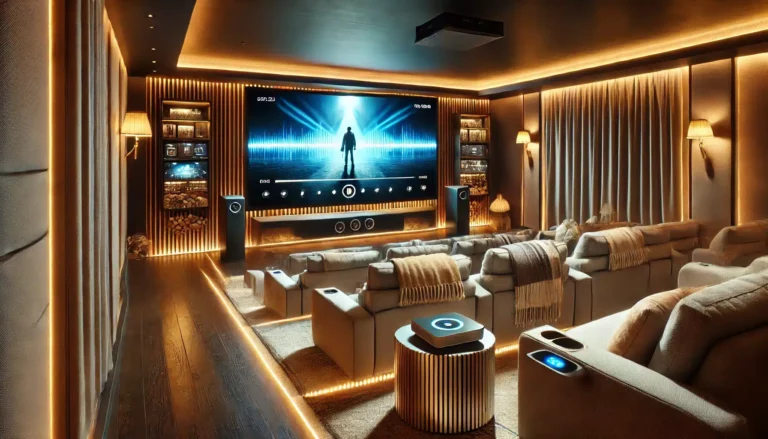
Choosing the right projector screen size is one of the most important decisions you’ll make for your home cinema. Get it right, and every film, game, or sports match feels immersive and comfortable. Get it wrong, and you might end up with eye strain, a picture that’s too small to appreciate, or a screen that overwhelms the room. This guide explains how screen size affects your viewing experience and how to pick the perfect size for your space.
Key Takeaways
- Screen size directly impacts immersion: larger screens (100" — 120") create a more cinematic feel, while smaller sizes (84") suit tighter rooms or mixed-use spaces.
- Viewing distance matters: a 100" screen works well from about 2.5 — 4 metres (8 — 13 feet); adjust up or down for comfort.
- Room lighting and wall space dictate the maximum practical size — always measure before buying.
- 16:9 is the standard for modern content; ABIS screens are all 16:9 matte white, suitable for most projectors.
- Electric screens offer a clean, hide-away solution; manual screens are budget-friendly; tripod screens are portable.
Why Screen Size Matters for Immersion
Cinema immersion isn’t just about having a big picture — it’s about filling enough of your field of view that the screen edges fade from awareness. The Society of Motion Picture and Television Engineers (SMPTE) suggests a viewing angle of at least 30 degrees, while THX recommends 36 degrees or more. In practice, that means a 100" diagonal 16:9 screen viewed from about 3 metres gives a comfortably cinematic experience. Go smaller, and the image feels more like a large TV; go larger, and you risk eye fatigue if you sit too close.
For UK living rooms, where sofas are often 3 — 4 metres from the wall, a 100" or 120" electric screen is a popular choice. In a dedicated home cinema room with controlled lighting, 120" can be spectacular. For a bedroom or small lounge, 84" might be the sensible maximum.
Viewing Distance: Finding the Sweet Spot
A common rule of thumb is to sit at a distance roughly 1.5 to 2.5 times the screen’s diagonal. For a 100" screen, that’s about 3.8 to 6.4 metres. But many find that closer feels more immersive. Here’s a quick reference:
| Screen Size (16:9) | Recommended Viewing Distance Range |
|---|---|
| 84" | 2.1 — 3.5 m (7 — 11 ft) |
| 100" | 2.5 — 4.2 m (8 — 14 ft) |
| 120" | 3.0 — 5.0 m (10 — 16 ft) |
These are guidelines, not rules. If you sit closer, you’ll notice more detail but may see pixel structure on lower-resolution projectors. Sit further back, and the image may feel less engaging. Always test with your own projector if possible.
Room Size and Layout Constraints
Your room’s dimensions and shape set hard limits. Measure the wall where the screen will go, and remember to account for the screen casing (electric screens add a few centimetres above and to the sides). For a 100" screen, the viewing area is about 2.2 m wide by 1.25 m tall; the casing adds roughly 10 — 15 cm on each side. Also consider ceiling height: a 120" screen drops about 1.5 metres, which may be too low if your ceiling is under 2.4 metres and you need to keep the bottom above furniture.
If your room has a bay window or lots of daylight, a matte white screen with good blackout backing (like ABIS electric screens) helps maintain contrast. For rooms with limited wall space, a manual screen can be mounted on the ceiling and pulled down only when needed.
Screen Type and Its Impact on Experience
The type of screen you choose affects convenience and picture quality, not just size.
- Electric Screens: Motorised, remote-controlled, and retract into a neat cassette when not in use. Ideal for living rooms where you want to hide the screen. ABIS electric screens come in 84", 100", and 120" and feature a low-noise motor, slim metal casing, and blackout backing.
- Manual Screens: Pull-down with a locking mechanism, no power required. Great for budget setups or rooms where you don’t mind a manual operation. They offer the same matte white surface and blackout backing as electric models.
- Tripod Screens: Portable and quick to set up. Perfect for outdoor movie nights, classrooms, or temporary events. Available in 84" and 100".
For a permanent home cinema, an electric screen is the most polished option. For a spare room or office, a manual screen saves money. For flexibility, a tripod screen is hard to beat.
Checklist: Choosing Your Screen Size
- Measure your room length (sofa to wall) and ceiling height.
- Decide on a viewing distance range using the table above.
- Check the screen’s physical dimensions (including casing) against your wall space.
- Consider ambient light: if the room is bright, a larger screen may wash out; use blackout curtains or choose a screen with good blackout backing.
- Pick a screen type: electric for hide-away, manual for simplicity, tripod for portability.
- Match the screen to your projector’s brightness and resolution — a 120" screen needs a brighter projector (at least 2,000 — 3,000 lumens) than an 84".
Which ABIS Screen Fits?
For a dedicated home cinema with a 3 — 4 metre viewing distance, the 100" Electric Projector Screen 16:9 is a top pick. It offers a cinematic size, motorised convenience, and a slim casing that blends into the ceiling. If you have more space and a bright projector, the 120" Electric Projector Screen 16:9 delivers an even more immersive experience.
For a smaller room or budget-conscious setup, the 100" Manual Projector Screen 16:9 gives you the same screen surface without the motor. It’s easy to install and operate, and it stows away neatly when not in use.
If you need portability — say, for movie nights in the garden or presentations in different rooms — the 84" Tripod Projector Screen 16:9 or 100" Tripod Projector Screen 16:9 are excellent choices. They set up in minutes and pack down compactly.
For more on matching screen size to your room, read our guide on Projector Screen Size and Room Size: The Perfect Match. And if you’re considering a 120" screen, see Why 120" Electric Projector Screens Are Ideal for Your Home Cinema.
FAQ
What is the best projector screen size for a home cinema?
For most UK living rooms, 100" or 120" (16:9) provides an immersive experience. Choose based on your viewing distance and wall space.
How far should I sit from a 100" projector screen?
A comfortable range is 2.5 to 4.2 metres (8 — 14 feet). Closer feels more cinematic; further back is easier on the eyes.
Can I use a 120" screen in a small room?
Only if you sit close (under 3 metres) and have enough wall space. A 120" screen is about 1.5 m tall, so check your ceiling height.
Does screen type affect picture quality?
ABIS screens use a matte white HD surface with blackout backing, so all types (electric, manual, tripod) deliver similar optical performance. The difference is in convenience and installation.
What if my projector isn’t bright enough for a large screen?
A 120" screen requires a projector with at least 2,500 — 3,000 lumens for a good picture in a dark room. For smaller screens, lower brightness is acceptable.
Are ABIS screens 16:9 only?
Yes, all ABIS projector screens are 16:9, the standard for HDTV and movies. If you need a different aspect ratio, you’d need to use windowboxing or choose a different product.
Conclusion
Selecting the right screen size is about balancing immersion, room dimensions, and your viewing habits. Measure your space, consider your typical viewing distance, and choose a screen type that fits your lifestyle. ABIS Electronics offers a range of electric, manual, and tripod screens in popular sizes — all with a matte white surface that works with any projector. Once you’ve decided on size and type, head to our shop to find your perfect screen. If you need help, contact us — we’re happy to advise.
Browse more in Home Cinema